§
The Rulebook FoundStep Features

You don’t need more
flexibility. You need
rules that stick.

Generic PM tools give you a blank canvas. FoundStep gives you a system. Every feature below exists to enforce one thing: that you actually finish what you start.

7Enforced rules
13Lifecycle statuses
0Ways to cheat
7 Rules Below
01
Lifecycle Enforcement

Can’t skip steps.
Can’t skip the hard parts.

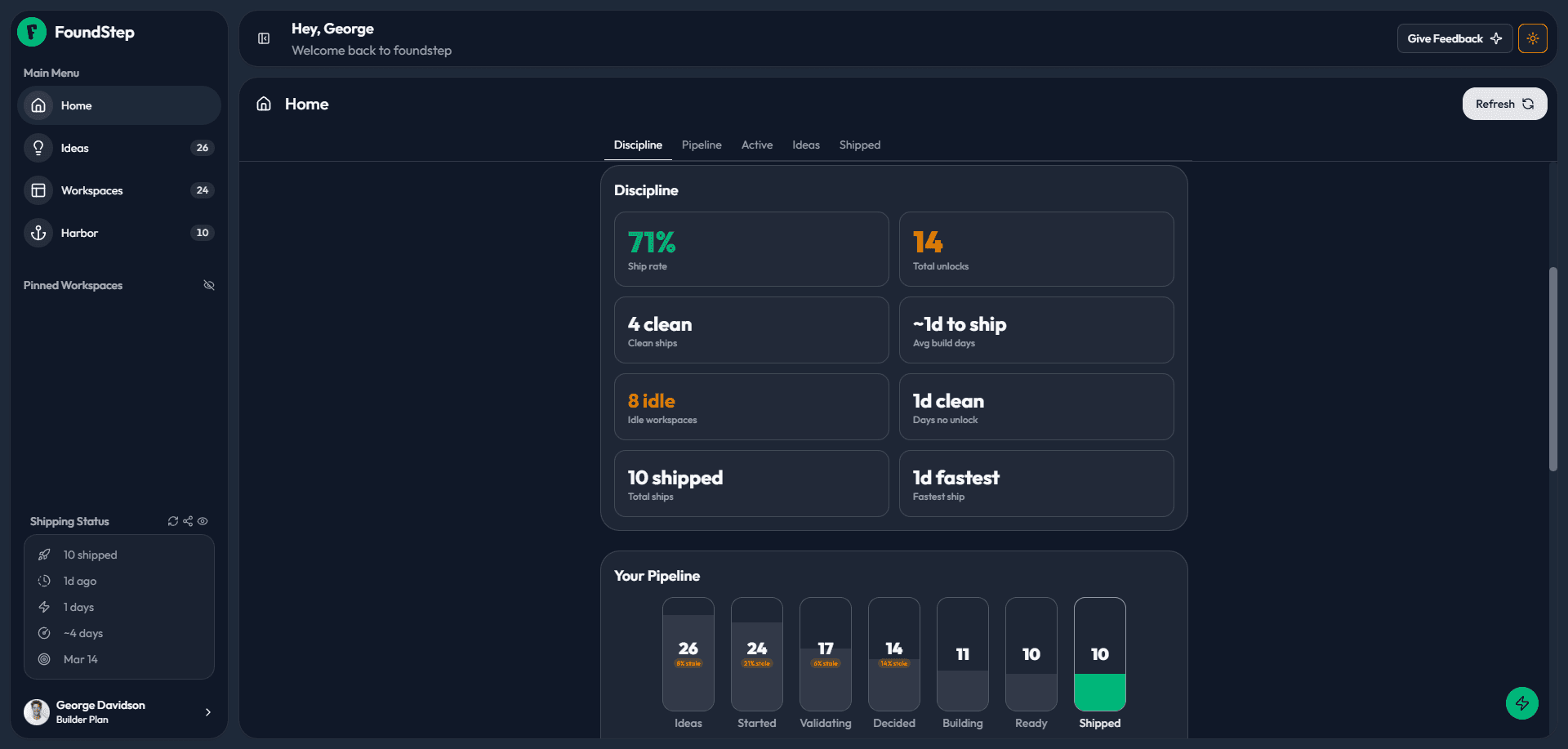
Every workspace follows a strict 13-status lifecycle across three phases: MVP, Post-MVP, and Terminal. You cannot start building without validating. You cannot ship without completing your todos. FoundStep enforces the order you don’t have to.
👤If you’re the kind of developer who jumps straight to coding before validating the idea, FoundStep physically stops you. Not as a suggestion as a gate.
Phase 1 MVP
Idea → Validating → Decided → Building → Ready to Ship → Shipped. Every status is earned, not assigned.
Phase 2 Post-MVP
After shipping, create v1.1 and iterate. One active version at a time to enforce focus.
Phase 3 Terminal
Archive or Sunset a project deliberately. No project dies quietly it gets a verdict.
Auto-advance
Complete all todos and your workspace moves to Ready to Ship automatically. The system rewards completion.
FoundStep home dashboard showing discipline metrics, shipping pipeline, and workspace stats
Real UI FoundStep Home Dashboard
02
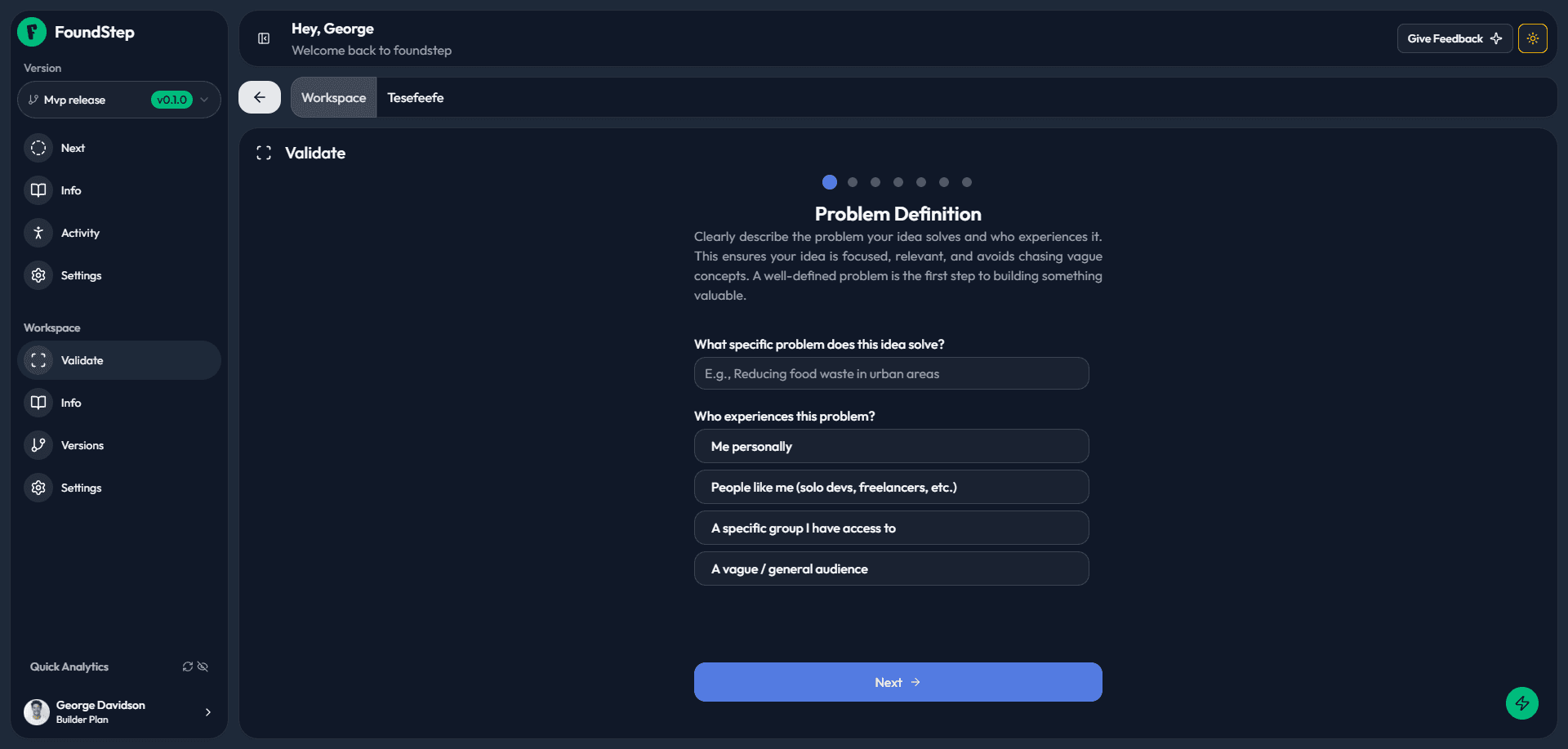
Idea Validation

Every idea deserves
a verdict.

Before you write a single line of code, FoundStep walks you through a 7-step questionnaire problem definition, severity, alternatives, feasibility, motivation and forces a final decision: Build, Wait, or Kill. No more “maybe someday” limbo.

👤You have 15 ideas in your notes app. Most of them aren’t worth building. The 7-step process surfaces the ones that are and kills the rest before they waste your weekends.
01
Problem Definition
02
Problem Severity
03
Existing Alternatives
04
Technical Feasibility
05
Personal Motivation
06
Target Audience
07
Final Verdict Build, Wait, or Kill
FoundStep validation wizard  guided 7-step questionnaire to validate your idea before building
Real UI click tabs to explore
03
Scope Locking

Lock it.
Mean it.

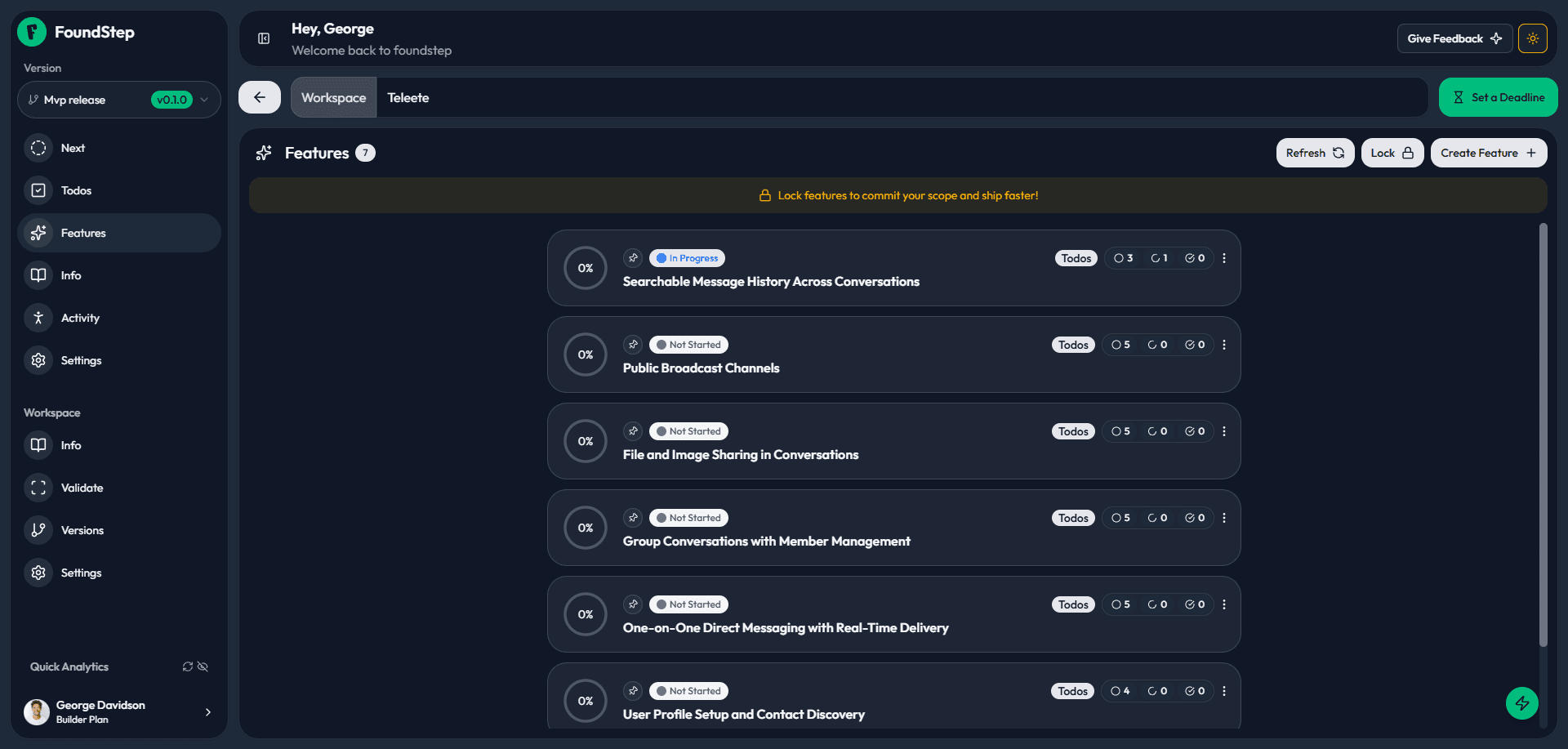
Once you’ve planned your features and todos, lock them independently. Adding anything while locked requires unlocking first, which requires a written reason. That reason is recorded permanently in your Shame History. Every unlock is logged. Nothing is silent.
👤Scope creep kills more solo projects than anything else. You start with 3 features and end up with 12 before shipping anything. The lock is the only thing standing between your MVP and another abandoned project.
🔒
Independent Locks
Features & todos lock independently control scope at every level.
📝
Written Reasons
Every unlock requires a written justification. No silent changes.
⚠️
Shame History
A permanent log of every unlock with reason and timestamp.
🔔
Feature Cap
Warning at 7+ features keeps your MVP focused and shippable.
FoundStep feature list with scope lock warning banner  lock your features to commit your scope
Real UI click tabs to explore
04
AI Next Action

One action.
Always the right one.

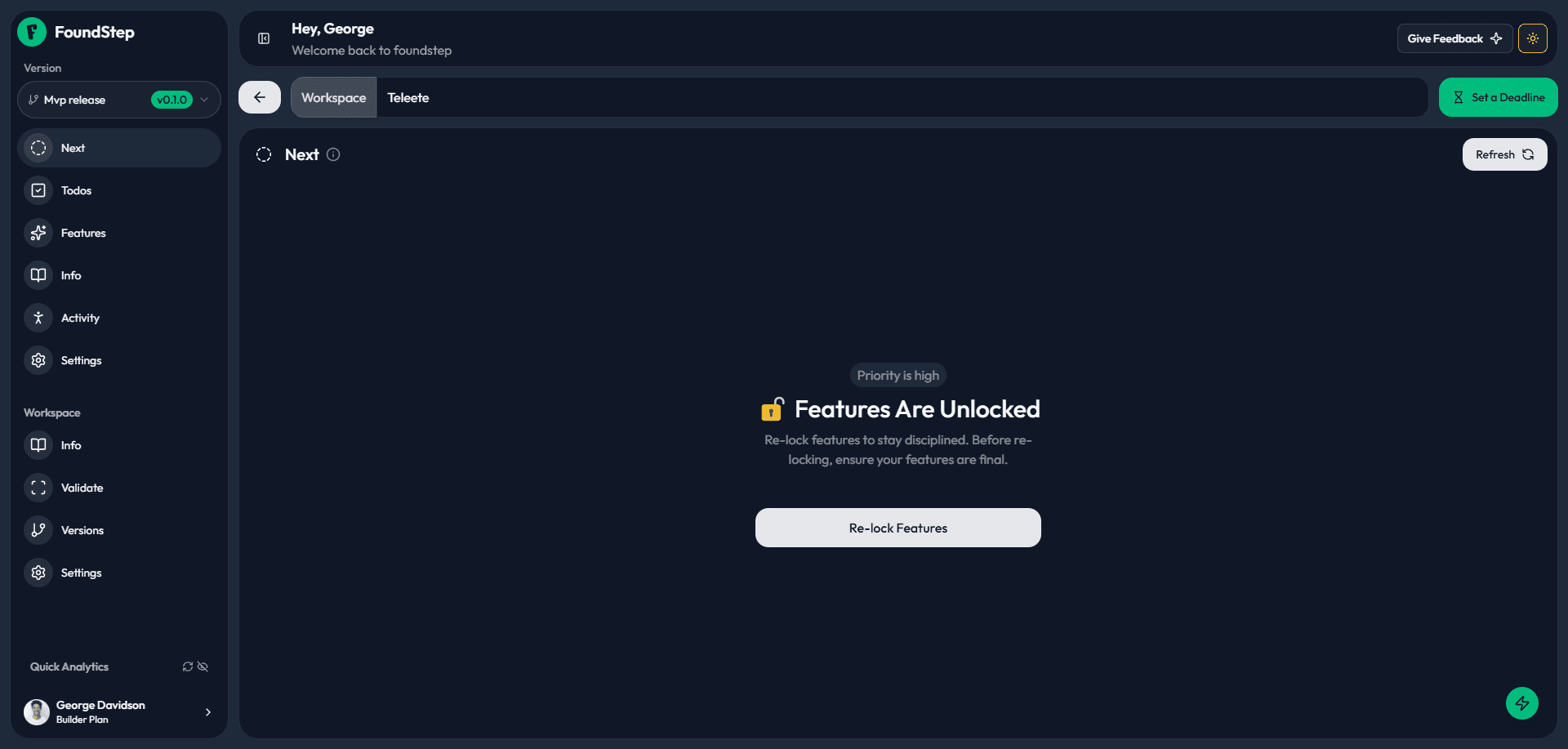
Every workspace has a Next tab. FoundStep watches your entire state todos, lock status, deadline proximity, unlock count, phase and surfaces the single most important thing to do right now. One button. No overwhelm.
👤Solo builders make thousands of micro-decisions a day. What should I work on? Is this done enough to ship? Should I add this feature? FoundStep answers all of them with one line.
What it watches
📅Deadline proximity
Todo completion %
🔒Feature lock state
📋Unlock count & history
🎯Workspace phase
🚨Incomplete critical tasks
Action types
CriticalDeadline approaching with incomplete work
WarningScope changed repeatedly lock and focus
CelebrateAll todos complete ready to ship
ActionNext step to move your project forward
FoundStep Next tab  AI-powered guidance showing the single most important action for your current workspace state
Real UI FoundStep Next Tab
05
Auto-Advance

Finish your todos.
FoundStep ships you forward.

When every todo in your version is complete, your workspace automatically advances to “Ready to Ship.” No manual status updates. No forgetting. Completion is the trigger and it’s non-negotiable. You still click “Mark as Shipped” yourself, because shipping is always a conscious decision.
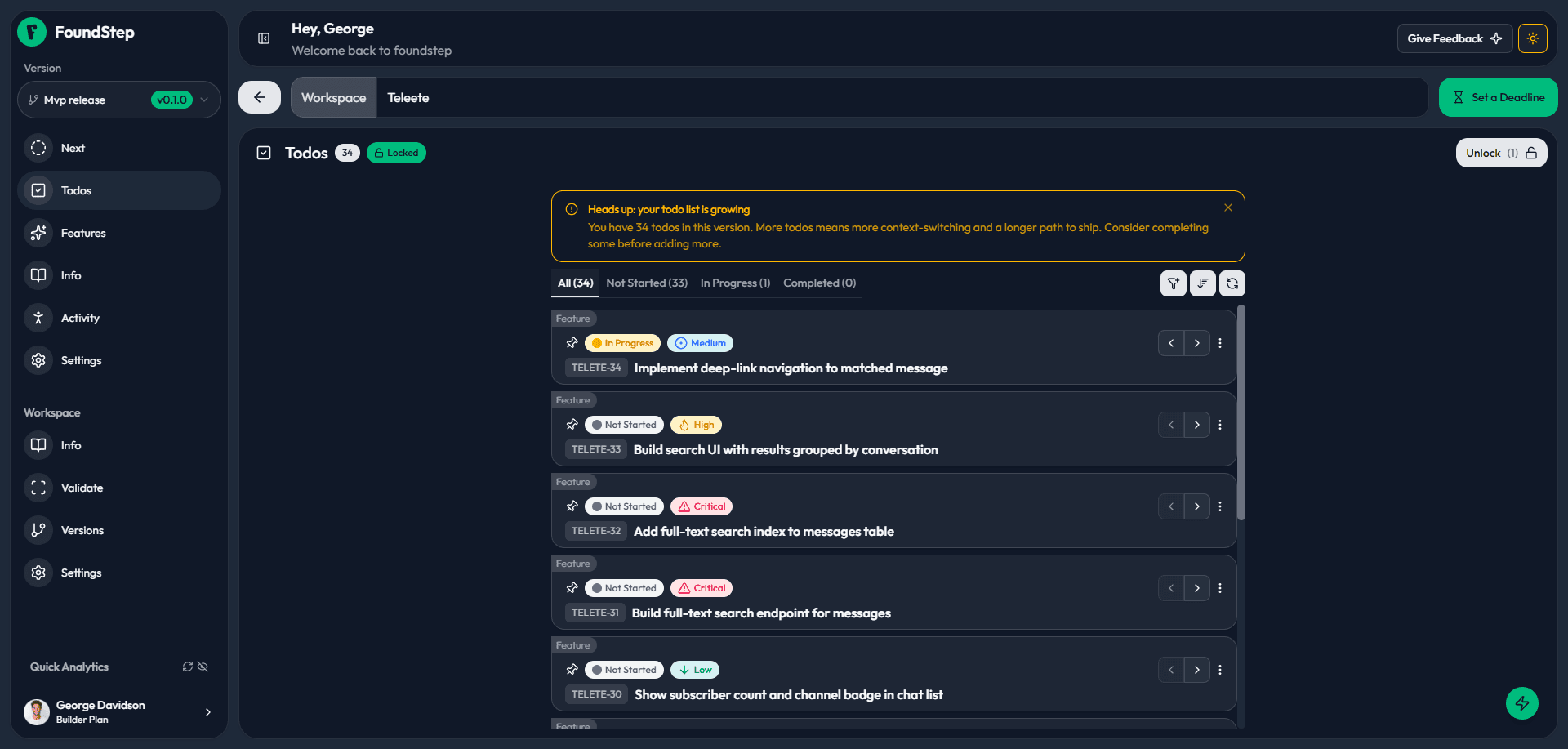
👤How many times have you had a project that was basically done but you never formally shipped it? FoundStep makes completion the on-ramp to shipping, not an afterthought.
Step 1
Create todos
Define the work for your version
Step 2
Complete all
Check off every item
Step 3
Auto-advance
Status moves to Ready to Ship
🚀
Step 4
You ship
Click Mark as Shipped your call
FoundStep todo list showing progress toward completion  complete all todos to auto-advance to Ready to Ship
Real UI FoundStep Todo Tab
06
Harbor + Ship Cards

A wall of wins.
Not a graveyard.

Every shipped project lives in your Harbora personal showcase with live URL, category, and stats. Generate a Ship Card for each one: name, ship date, days to build, version, and unlock count. Download it. Post it. The unlock count is public. Ship clean or explain why you didn’t.
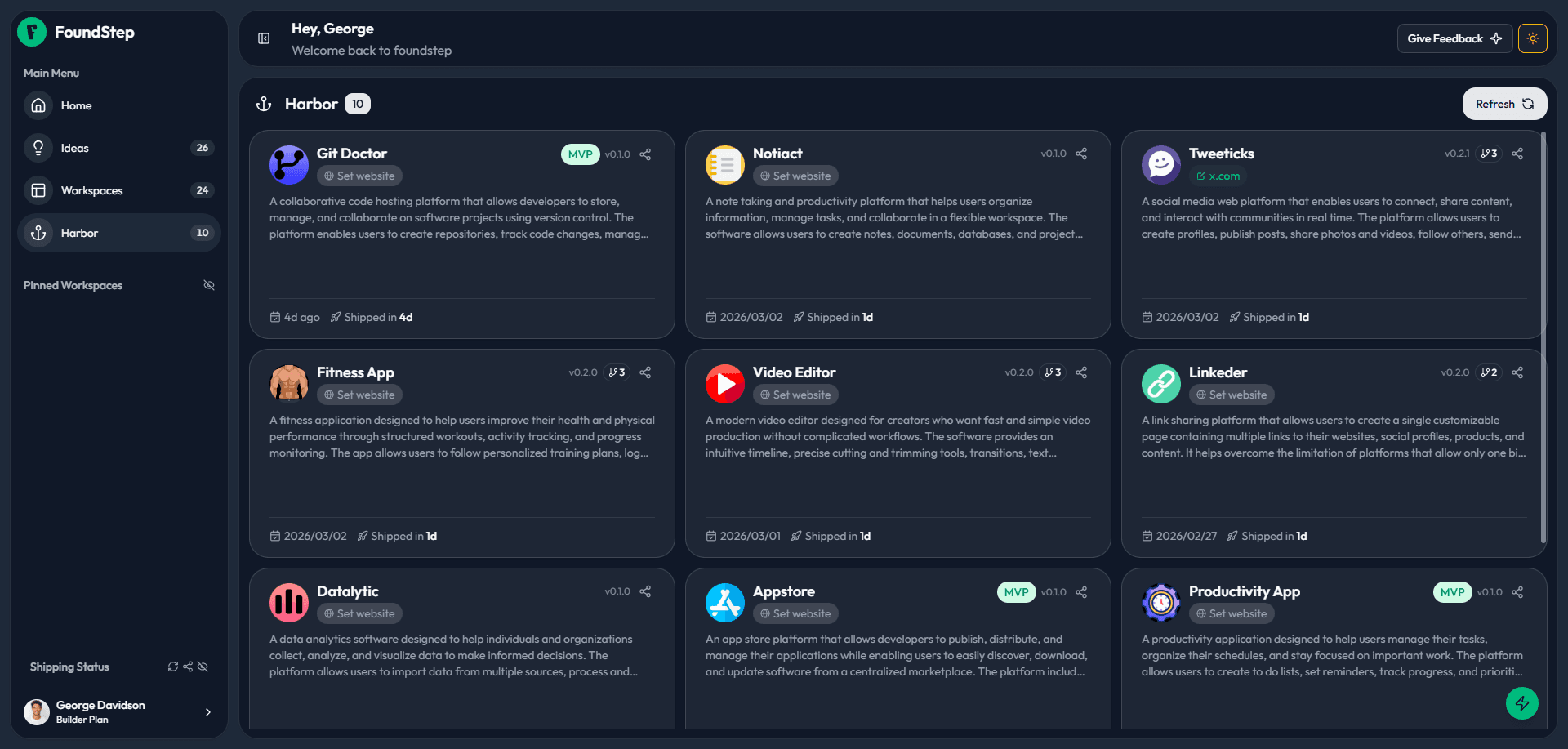
👤Most developers have a graveyard 40 repos, 3 deployed. FoundStep gives you a Harbor instead. Every project you finish earns a card. The more you ship, the better it looks.
🏷Category badge
Live project URL
📅Days to ship
🔖Version number
🔓Unlock count
🖼Project metadata
FoundStep Harbor  a wall of wins showing all shipped projects with name, category, and stats
Real UI auto-cycling · click tabs to explore
07
AI MVP Planner

Describe your idea.
Get a full plan.

The AI Planner breaks your idea into features, subtasks, effort estimates, dependencies, excluded items, V1.1 suggestions, and architecture hints. Review and select what you want. One click to import everything. Five generations per workspace use them deliberately.
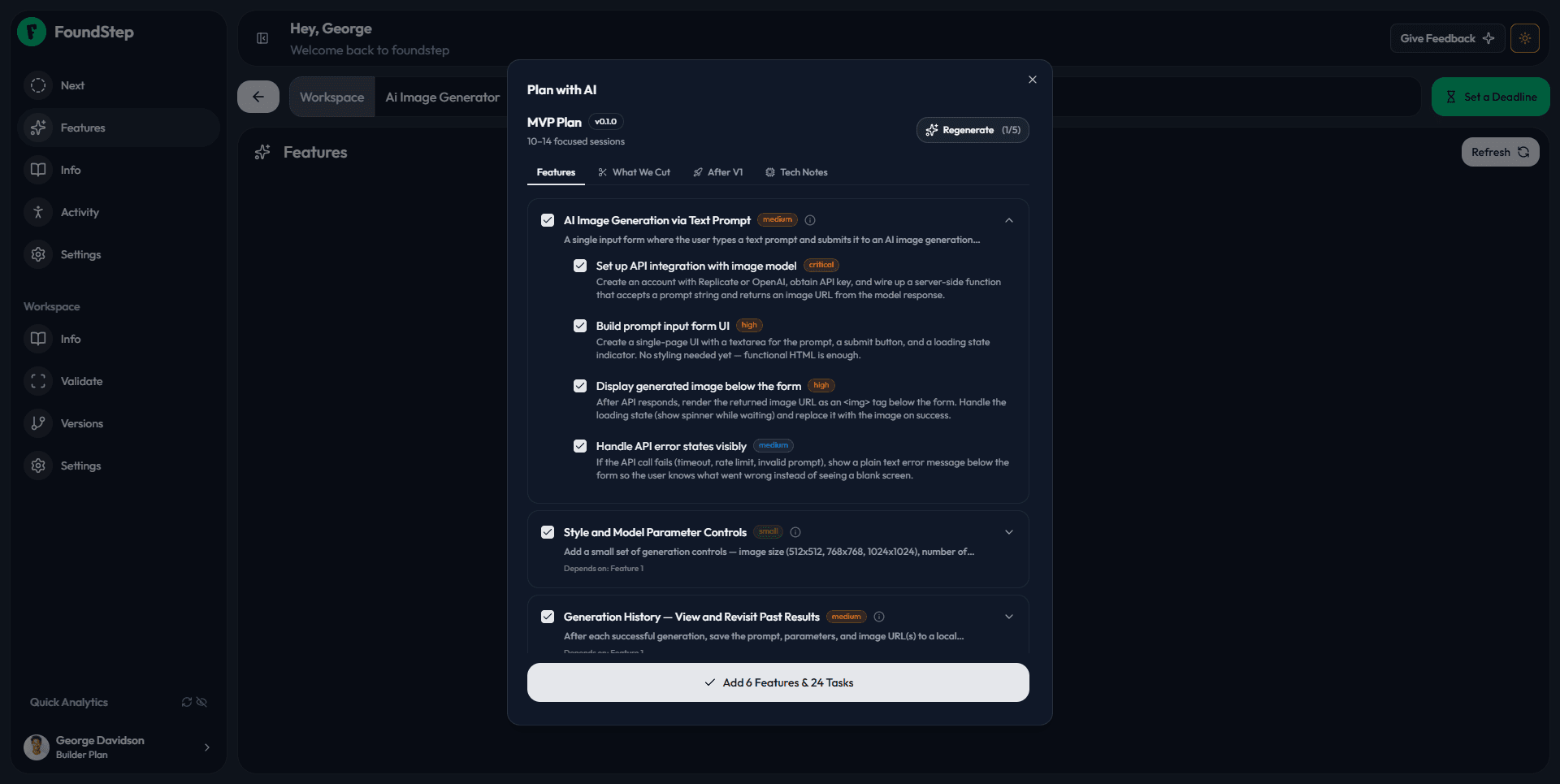
👤The gap between “I have an idea” and “I have a plan I can actually execute” is where most solo projects die. The AI Planner closes that gap in under 60 seconds.
Features
5-8 focused MVP features with titles, descriptions, and business rationale for each.
Subtasks
Prioritised subtasks per feature Critical, High, Medium so you know what to build first.
Effort estimates
Small, Medium, or Large per feature so you can scope realistically before locking.
What We Cut
Everything excluded from v1 and why. Scope discipline starts at the planning stage.
After V1
Suggestions for v1.1 so you can ship the MVP without worrying you're missing something.
Architecture hints
Core entities, tech notes, and structural suggestions tailored to your idea.
FoundStep AI MVP Planner  AI-generated structured plan with features, subtasks, effort estimates, and architecture hints
Real UI FoundStep AI MVP Planner
08
Public Wall

Go public.
Your portfolio builds itself.

Every project you ship gets a public profile page and a project detail page with tech stack, milestones, screenshots, and build timeline. Other developers can follow you and star your projects. No portfolio site to build. No manual updates. Ship and it’s live.
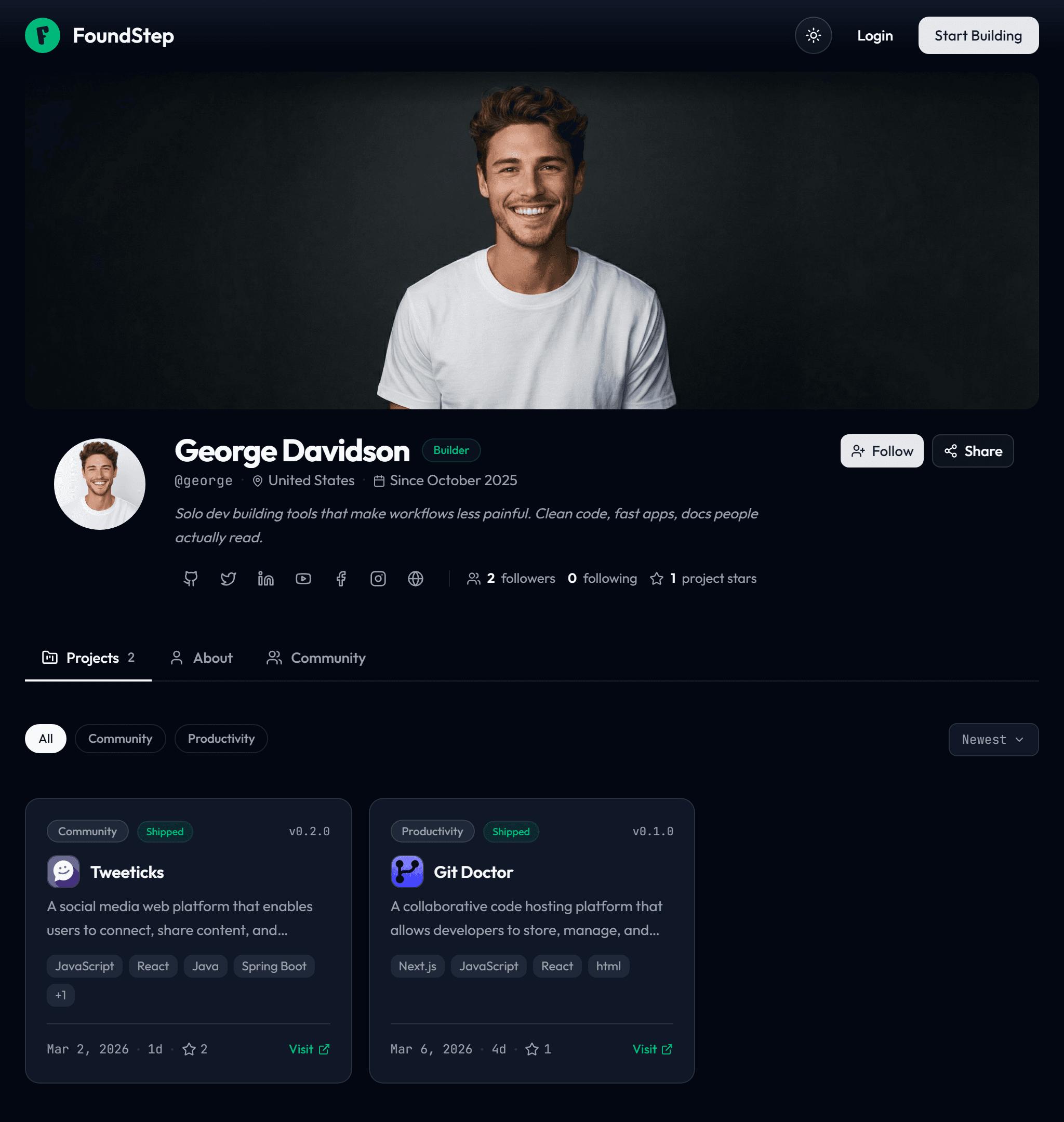
🌍Harbor is your private training log. The Public Wall is your highlight reel. Ship a project, and both update automatically.
🖼Cover image & avatar
✍️Bio & social links
📊Filterable project grid
👥Follower & star counts
🔗Short shareable URLs
🔍SEO with Schema.org
FoundStep Public Developer Profile - a public portfolio page showing shipped projects, bio, social links, follower counts, and a filterable project grid
Real UI · auto-cycling · click tabs to explore
Complete Feature List

Everything FoundStep does.
And everything it deliberately doesn’t.

Discipline
7-step idea validation
Build / Wait / Kill decision gate
Scope locking features + todos independently
Mandatory unlock reasons
Shame History permanent unlock log
13-status workspace lifecycle
One active version at a time
Feature cap warning at 7+
Intelligence
AI Next Action Critical / Warning / Celebrate / Action
AI MVP Planner 5 generations per workspace
Context-aware next action polling every 2s
Soft and hard deadlines
Auto-advance on todo completion
Payoff
Harbor shipped project showcase
Ship Cards downloadable social cards
Public Wall developer portfolio page
Public project pages with tech stack & milestones
Follow builders & star projects
Shareable short URLs for profiles & projects
Unlock count on Ship Card (public accountability)
Semantic versioning v1.0, v1.1, v2.0
Version timeline with milestone tracking
Live URL field per shipped workspace
Not in FoundStep
Team collaboration or multi-user (by design)
Kanban boards or Gantt charts (by design)
Integrations (by design)
Infinite flexibility (the point)
You’ve read the rulebook.

Now go follow them.

Free trial available. No setup. No team required. Just your first idea and a verdict.

Free trial · no credit card needed
No setup
No team required
Features | Solo Developer Tools for Shipping, Not Just Managing | FoundStep