How to Stop Scope Creep in Side Projects (Before It Kills Yours)

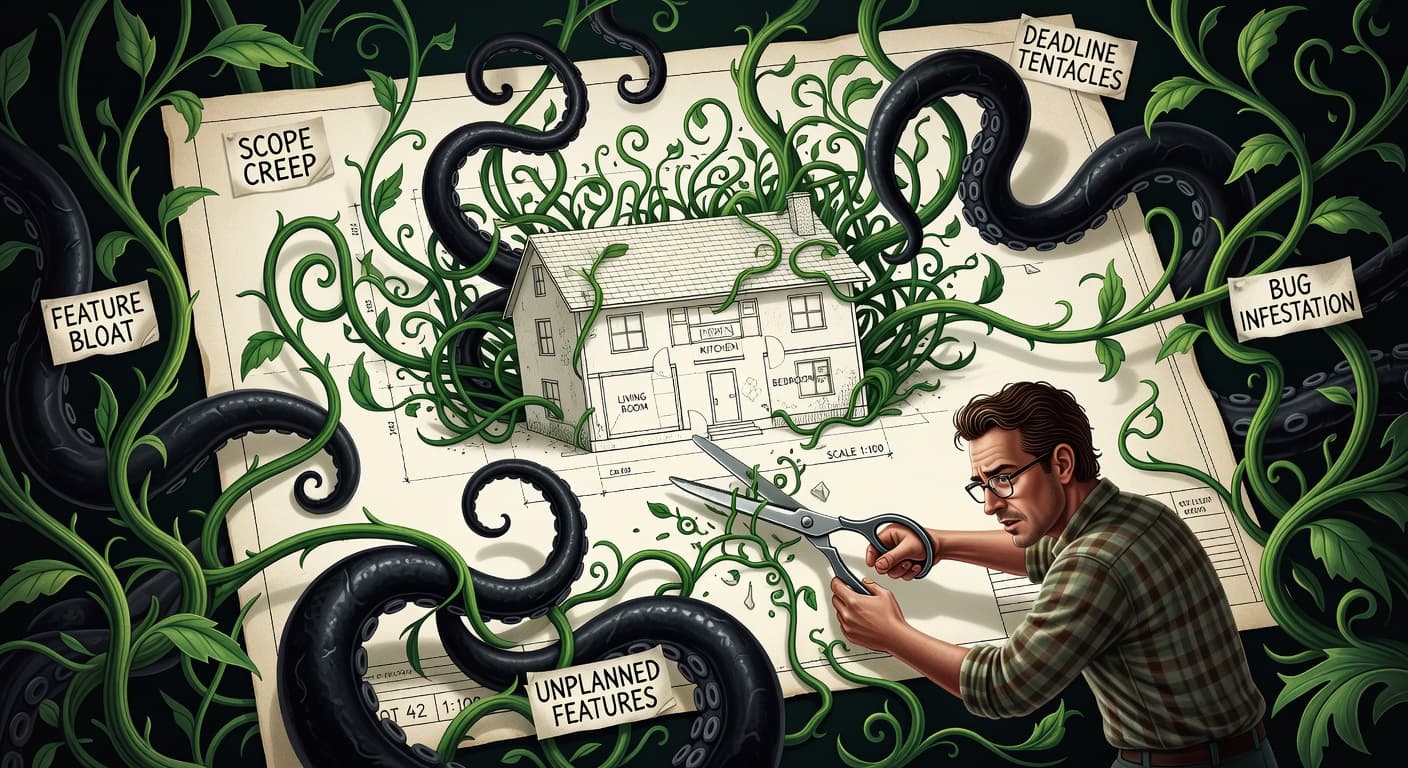
The Feature You're Adding Right Now Is Probably Killing Your Project
I want you to try something. Open your current side project. Look at the feature list, whether it is in a doc, a Trello board, or just comments scattered through your code. Now compare it to what you originally planned to build.
If the list has grown, you have scope creep. And you probably already knew that. The harder question is how to stop scope creep in side projects when the person adding features is you, and you are also the person who is supposed to say no.
According to PMI research, scope creep affects roughly 52% of all software projects — and that stat is for teams with PMs, budgets, and stakeholders. For solo developers building side projects at 11 PM, the number is closer to 90%.
This is the thing that makes scope management in solo work so different from team environments. On a team, there is friction everywhere. Someone has to approve the ticket. Someone has to review the PR. Someone notices during standup that you spent yesterday building a dark mode toggle instead of finishing the checkout flow. When you work alone, there is nothing between the idea and the implementation except a tab key and some enthusiasm.
I have watched this pattern destroy dozens of projects, including several of my own. The project starts clean. A tight idea, a short feature list, maybe a weekend timeline. Then you hit a flow state, and while you are building the core feature, you think of three related features that would make it better. You start one. It needs a component that does not exist yet. You build that. Now the first feature needs to talk to the second, and you realize your data model should probably be different, so you refactor. Three weeks later you have 40% of a much bigger project instead of 100% of the small one.
If you want the companion piece on avoiding scope creep as a solo developer, that covers the broader philosophy. This guide is about the tactical, do-this-right-now stuff.
What Scope Creep Actually Looks Like When You Work Solo
Here is the subtle part that most advice misses: scope creep in side projects does not always look like adding big features. Sometimes it is tiny. Sometimes it is invisible.
The obvious version is deciding your note-taking app needs real-time collaboration. You can spot that. But scope creep also shows up as:
Spending four hours making your error handling "production-grade" when you have zero users. Refactoring a function that works because you read a blog post about a better pattern. Adding loading skeletons to every page because it "looks more polished." Building an admin panel for a product that does not have its first user. Writing a migration system instead of just using the database directly.
None of these feel like scope creep in the moment. They feel like quality. They feel like doing things right. But they are scope additions that were not in your original plan, and each one moves the finish line further away.
The sneakiest form of scope creep is infrastructure creep. This is when you stop building user-facing features and start building "the platform." Setting up CI/CD pipelines, writing comprehensive test suites, building abstraction layers, configuring monitoring. All of this is legitimate work, but for a side project that has not shipped its first version, it is procrastination wearing a hard hat.
The Three Types of Scope Creep That Kill Side Projects
Not all scope creep looks the same. Understanding which type is killing your project matters because each requires a different response.
Gold Plating: You take a working feature and polish it endlessly. The auth flow works, but you spend four days making the loading animation "feel right." Gold plating masquerades as quality. It's procrastination wearing a perfectionist costume.
Feature Sprawl: The classic. You keep adding new features to the spec. "What if it also had X?" becomes your most dangerous sentence. Each feature seems small in isolation. Together, they double your project timeline.
Infrastructure Creep: You overengineer the stack before the product needs it. Kubernetes for an app with zero users. Microservices for a solo project. Infrastructure creep feels productive because it's technical work. But building infrastructure for scale you don't have is scope creep with extra steps.
The "Just One More Feature" Trap
This trap has a specific psychology behind it, and understanding it is the first step in learning how to stop scope creep in side projects.
When you think of a new feature mid-build, your brain does something sneaky. It estimates the cost of building it at about 20% of the actual cost. You think "that will take an hour" and it takes six. This is not a character flaw. It is a well-documented cognitive bias called the planning fallacy, and developers are particularly susceptible because we are trained to decompose problems into smaller parts, which makes everything sound simpler than it is.
But the time cost is only half the problem. Every feature you add has invisible dependencies. It needs to work with your existing features. It needs error handling. It might need state management changes. It introduces edge cases you have not thought of.
I once added "tags" to a project tracker. Simple, right? That feature took me two weeks because it needed a new database table, a many-to-many relationship, a search/filter system, autocomplete for existing tags, and UI work to display tags in four different views. The "one hour" feature consumed my entire buffer for the month.
Technique 1: Freeze Your Scope in Writing
The single most effective thing you can do to stop scope creep is to write your scope down and then treat that document as frozen. Not flexible. Not a living document. Frozen.
Get a piece of paper, a text file, a Notion page, whatever. Write down every feature your v1 needs. Be specific. Not "user profiles" but "users can set their name and avatar on a settings page." Get granular because vague scope items are scope creep's favorite hiding spot.
Once the list is written, draw a line under it. Write "SCOPE FROZEN" in capital letters if that helps. Everything above the line gets built. Everything below does not exist until v1 ships.
This works because it converts scope decisions from impulsive to deliberate. Without a written scope, adding a feature is unconscious. You just start building. With a frozen scope document, adding a feature requires you to consciously acknowledge that you are breaking the freeze. That awareness alone stops about half of scope creep.
Technique 2: Commitment Devices That Actually Work
A commitment device is anything that makes a behavior harder to reverse. In the context of scope management, it is anything that makes adding features painful enough that you think twice.
Here are commitment devices that actually work for side projects:
Tell someone your ship date. Not a vague "sometime this month" but a specific date. Post it on Twitter. Tell a friend. The social pressure of a public commitment is surprisingly effective because your brain hates looking unreliable more than it loves building new features.
Use a scope change log. Every time you want to add something to scope, you have to open a document and write: what you want to add, why you think it is necessary, what you are willing to cut to make room, and your honest estimate of how long it will take. Most of the time, writing this out is enough to talk yourself out of it.
Implement a cooling-off period. When you have a new feature idea, you are not allowed to start building it for 48 hours. Write it down and come back in two days. Ideas that still feel urgent after 48 hours might actually be worth considering. Ideas that do not were just excitement.
The approach that works best is making scope changes permanently visible. FoundStep calls this Shame History — a permanent record of every time you deviated from your locked scope. There is something about knowing your future self will see a log of every "quick addition" that makes you reconsider.
Technique 3: The v1.1 List
The v1.1 list is simple. It is a separate document, completely independent from your scope document, where you write down every feature idea that comes up during development. The rules are:
Write it down immediately when you think of it. Include enough detail that you will understand the idea later. Do not evaluate whether it is good or bad. Do not estimate how long it would take. Just capture it and go back to work.
That is it. The entire process takes thirty seconds and it solves the biggest psychological barrier to stopping scope creep: the fear of losing a good idea.
Your brain does not want to forget things. When you have a feature idea and try to suppress it, your brain keeps circling back to it. The v1.1 list short-circuits this by giving your brain permission to let go. The idea is captured. It is safe. You can come back to it later.
Here is what actually happens with most v1.1 lists: you ship v1, you look at the list, and about half the items seem less urgent than they did when you wrote them down. Some are actively bad ideas that felt brilliant at 1am. The ones that survive the filter of time and the perspective of having shipped are your real v1.1 priorities.
Technique 4: Lock Your Features With Real Friction
Writing scope down is good. Making scope changes painful is better. But the best approach is making scope changes require an actual action that has consequences.
This is the philosophy behind Scope Locking. The idea is straightforward: once you define your features and todos, they are locked. If you want to add, remove, or change a feature, you have to explicitly unlock it and provide a reason. That reason is recorded permanently. You cannot silently add a feature and pretend it was always part of the plan.
You can implement a lightweight version of this without any special tooling. Create a rule for yourself: any scope change requires a git commit with a specific prefix. Something like "SCOPE CHANGE: added search feature because users need to find items quickly." Now your git history contains a permanent record of every time you broke scope.
The friction does not need to be enormous. It just needs to exist. The difference between zero friction and even a tiny amount of friction is the difference between impulse and decision.
When a Scope Change Is Actually Justified
I do not want to pretend that scope should never change. Sometimes you discover mid-build that your product literally does not work without something you did not plan for.
The test is this: does this gap make the product broken or just incomplete? Broken means it does not function correctly for its core use case. Incomplete means it could be better with more features. Broken justifies a scope change. Incomplete goes on the v1.1 list.
Another way to think about it: if a user tried your product and hit this gap, would they say "this does not work" or would they say "it would be cool if it also did X"? The first response means you have found a genuine gap. The second means you have found a v1.1 feature.
Be honest with yourself about this distinction. Most developers dramatically overestimate how many things fall into the "broken" category. Your product can ship without dark mode. It can ship without CSV export. It can ship without keyboard shortcuts. It probably cannot ship without working authentication or the ability to save data. There is a large gap between those two categories, and most scope creep lives in the space between them.
The Real Cost of Scope Creep Nobody Talks About
Everyone talks about scope creep costing time. That is true but it is not the whole story. The real cost is motivation.
Every feature you add extends your timeline. And the longer a side project takes, the more likely you are to lose interest. You started this project because you were excited about the core idea. Three months of scope creep later, you are debugging edge cases in a tagging system that was not in your original plan, and the excitement is gone.
This is why scope creep and project abandonment are so tightly linked. It is not that developers are flaky. It is that scope creep turns a fun project into an exhausting one, and when something is both exhausting and optional, the outcome is predictable.
If you are interested in the broader pattern, I wrote about why developers abandon side projects and how scope creep is one of the primary drivers. The short version: the projects that ship are the ones that stay small enough to stay fun.
The psychology of scope creep
Understanding why scope creep happens helps you stop it. Because the same brain that writes good code is also working against you.
Completion anxiety drives gold plating. As you get close to shipping, anxiety spikes. What if users hate it? What if it breaks? Adding one more feature delays shipping and delays the moment of judgment. Perfectionism is often procrastination with a quality label.
Identity is tied to building, not shipping. Most developers identify as builders. Building more equals more identity reinforcement. Stopping to ship means stopping to build. Every feature you add is another day of being a builder. Scope locking interrupts this loop.
Feature ideas feel like progress. When you add a feature to your plan, your brain registers it as progress. You're "moving forward." Except you're moving sideways — expanding scope instead of closing the gap to done.
The sunk cost fallacy. "I've already built 12 features, I might as well finish the other 5." Except those other 5 weren't in the original plan. The sunk cost of the first 12 doesn't justify adding 5 more. But your brain doesn't see it that way.
Understanding these patterns is the first step. The second step is building a system that fights back — because knowing the trap doesn't stop you from falling in.
A System Beats Willpower Every Time
You can read this entire guide, nod along to every point, and still add a feature to your project tonight. I know because I have done it. Understanding scope creep and stopping scope creep are different skills, and the second one does not come from knowledge alone.
What actually works is building a system that makes scope discipline the default. Not something you have to remember. Not something you have to be disciplined about. A system where staying on scope is easier than deviating from it.
That might mean using FoundStep's Scope Locking to physically freeze your features. It might mean posting your scope document on your wall and checking it before every coding session. It might mean a pre-commit hook that asks "is this in scope?" before every push. The specific system matters less than having one.
The developers who ship consistently are not the most disciplined. They are the ones who have removed discipline from the equation by building systems that do the work for them. That is the real answer to how to stop scope creep in side projects. Not more willpower. Better systems.

Ready to ship your side project?
FoundStep helps indie developers validate ideas, lock scope, and actually finish what they start. Stop starting. Start finishing.
Get Started Free